









Many of us would be using BSNL broadband service and would be worried if someone else mis-use of internet connection if you are using wireless modem. Security key for accessing wireless network remains standard your phone number followed by letter ab which will throw risk of your internet connection being misused by anyone else.
If you wish to know your current security pins or modify the same follow the steps given below:
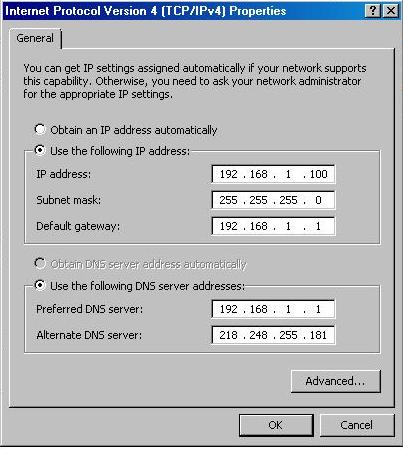
1. Connect LAN from your computer or Laptop and type 192.168.1.1 in the internet explorer user name for your modem will be admin and password is also admin.
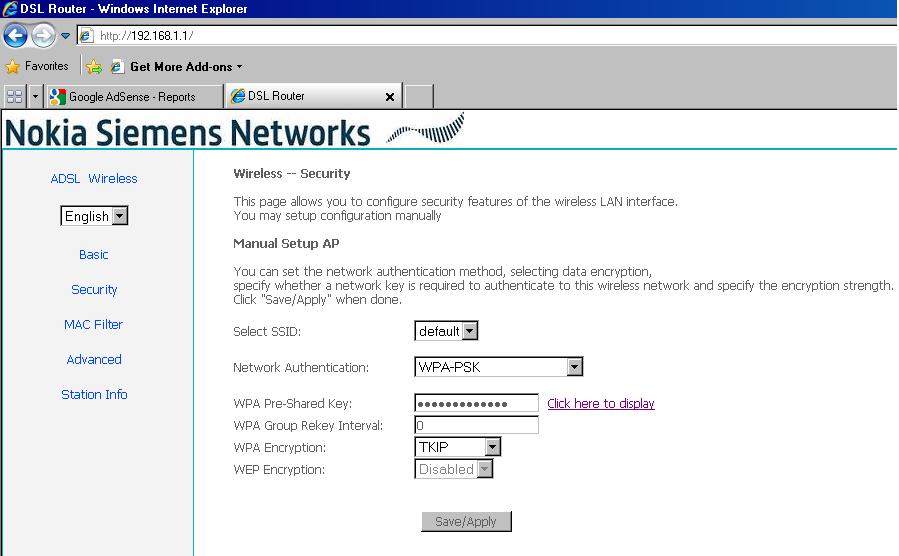
2. Click on wireless option and select security option
3. You will the following screen where you can see WPA-preshared key where you can see and change the key. Click to see what is the pre-shared key and you can modify your key here…